- Published on
Tailscale and Cloudflare Tunnel: reaching my home PC from anywhere with zero open ports

- Authors

- Name
- Nadim Tuhin
- @nadimtuhin
On this page
This is one piece of my AI coding agent setup. It covers how I get from my MacBook Pro, or any browser, to the Windows PC at home where my agents run.
The problem
The PC sits behind a home router. My internet provider can change the public IP whenever it likes, and I do not want any port on that router open to the internet. A box that runs AI agents with access to my repos is the last thing I want a port scanner to find.
But I still need two very different kinds of access:
- From my own devices, full access: ssh, Herdr terminals, and 9Router.
- From any browser, a few web tools: a browser editor and a view of a running browser, behind a login.
One tool does not fit both well. So I use two.
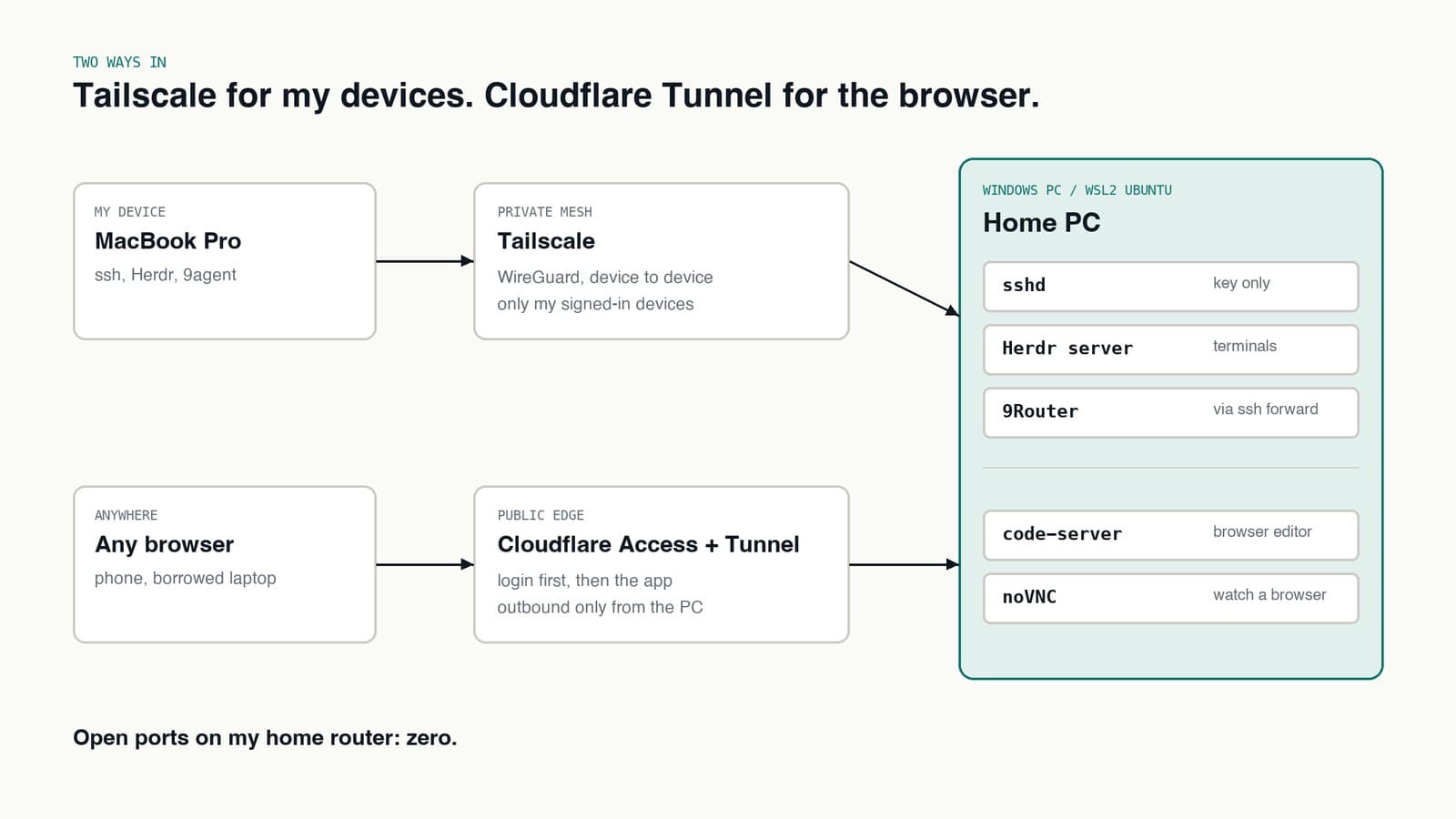
Tailscale: the private path for my devices
Tailscale builds a private network between my own devices on top of WireGuard. The PC and the MacBook each get a stable private address, and they find each other through any NAT, from home, from a cafe, from a hotel.
Only devices signed into my account are on that network. There is nothing public to attack.
This is the path for everything interactive:
Host homelab
    HostName <the PC's Tailscale address>
    User nadim
    IdentitiesOnly yes
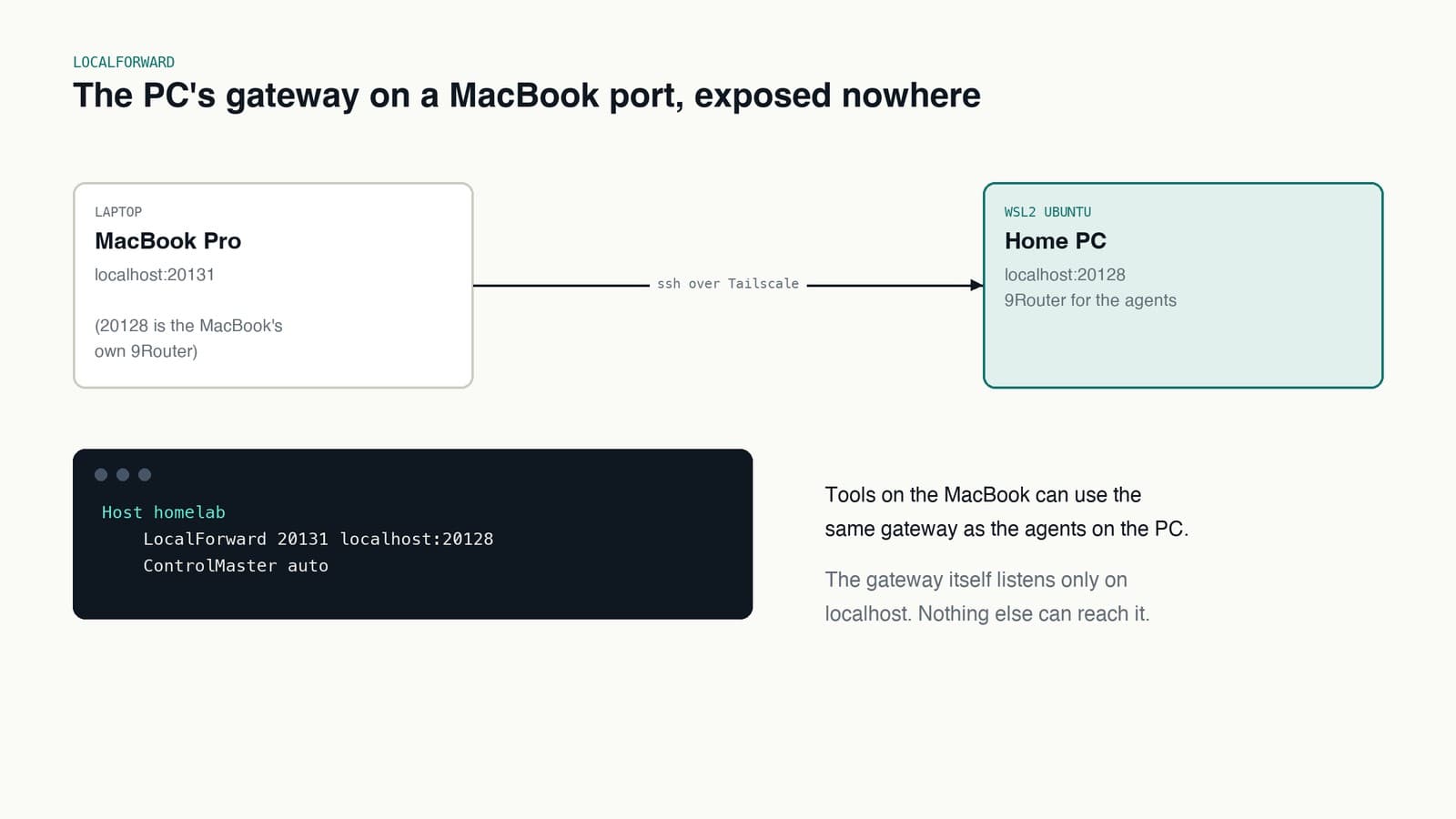
    LocalForward 20131 localhost:20128
    ControlMaster auto
    ControlPersist 1h
A few lines doing a lot of work:
ssh homelabworks the same from anywhere, because the Tailscale address never changes.herdr --remote homelabrides the same ssh connection to the Herdr server, so my terminals on the PC open on the MacBook.LocalForwardbrings the PC's 9Router to a port on my MacBook, so tools on the laptop can use the same gateway as the agents, without exposing it anywhere.ControlMasterreuses one connection for every ssh, scp and Herdr session, so new panes open instantly.
Key-only auth, no passwords, no root login.
Cloudflare Tunnel: the public path for browser tools
Some things I want from a phone or a borrowed laptop, where installing Tailscale is not an option. For those, Cloudflare Tunnel runs on the PC as cloudflared.
It makes an outbound connection to Cloudflare. Cloudflare then serves a few subdomains through that connection. Nothing comes in through my router. The router does not even know.
In front of each subdomain sits Cloudflare Access. Before any request reaches the PC, Cloudflare asks me to sign in. If I am not me, the request never leaves Cloudflare.
What goes through this path:
- code-server, VS Code in a browser, with the same repos the agents use.
- noVNC, a view of a real browser running on the PC, for the times an agent is driving one and I want to watch.
What does not: ssh, Herdr and 9Router. Those stay on the private path.
Why both, not one
I could run everything through Cloudflare, or everything through Tailscale. Each one is good at one of these jobs and awkward at the other.
| Tailscale | Cloudflare Tunnel + Access | |
|---|---|---|
| Who can reach it | Only my signed-in devices | Anyone who passes the login |
| Needs a client | Yes | No, just a browser |
| Best for | ssh, terminals, private APIs | Web apps from any device |
| Exposed to the internet | Nothing | A login page on Cloudflare |
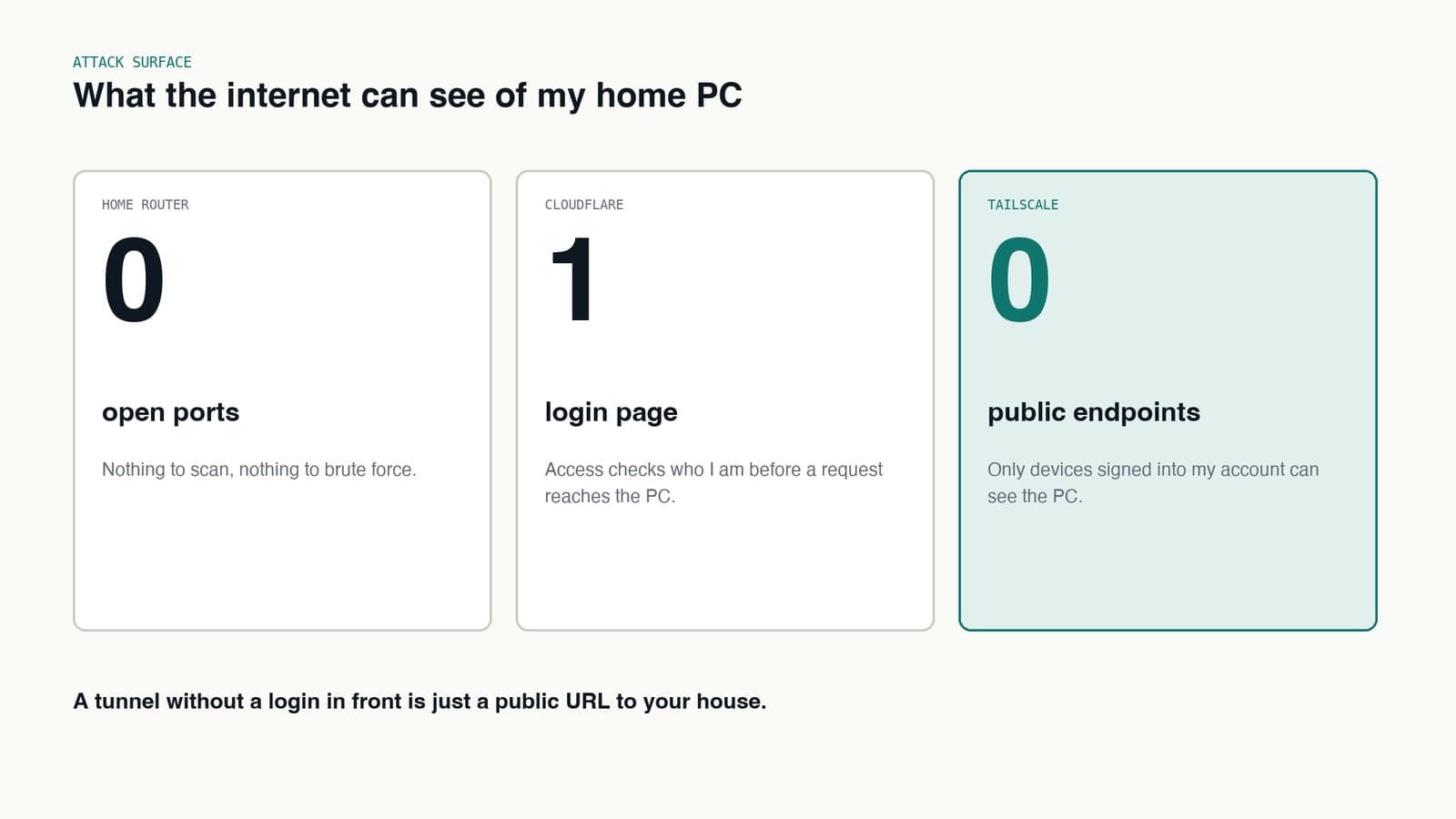
The rule I settled on: if it is interactive and powerful, it goes over Tailscale. If it is a web page I might open from a phone, it goes through Cloudflare with Access in front.
Things that bit me
- WSL2 networking. Ubuntu inside WSL2 lives behind its own virtual NAT. Tailscale and
cloudflaredrunning inside Ubuntu sidestep most of that. Anything on the Windows side that needs to reach a WSL2 service needs a port forward. - WSL2 shutting down. Windows stops the Ubuntu VM when nothing is attached, and every tunnel inside it goes with it. A keepalive on the Windows side keeps it up.
- Tailscale stopped on the laptop. When ssh to the PC times out, the first thing to check is not the PC. It is whether Tailscale is running on the MacBook.
tailscale statusanswers that in a second.
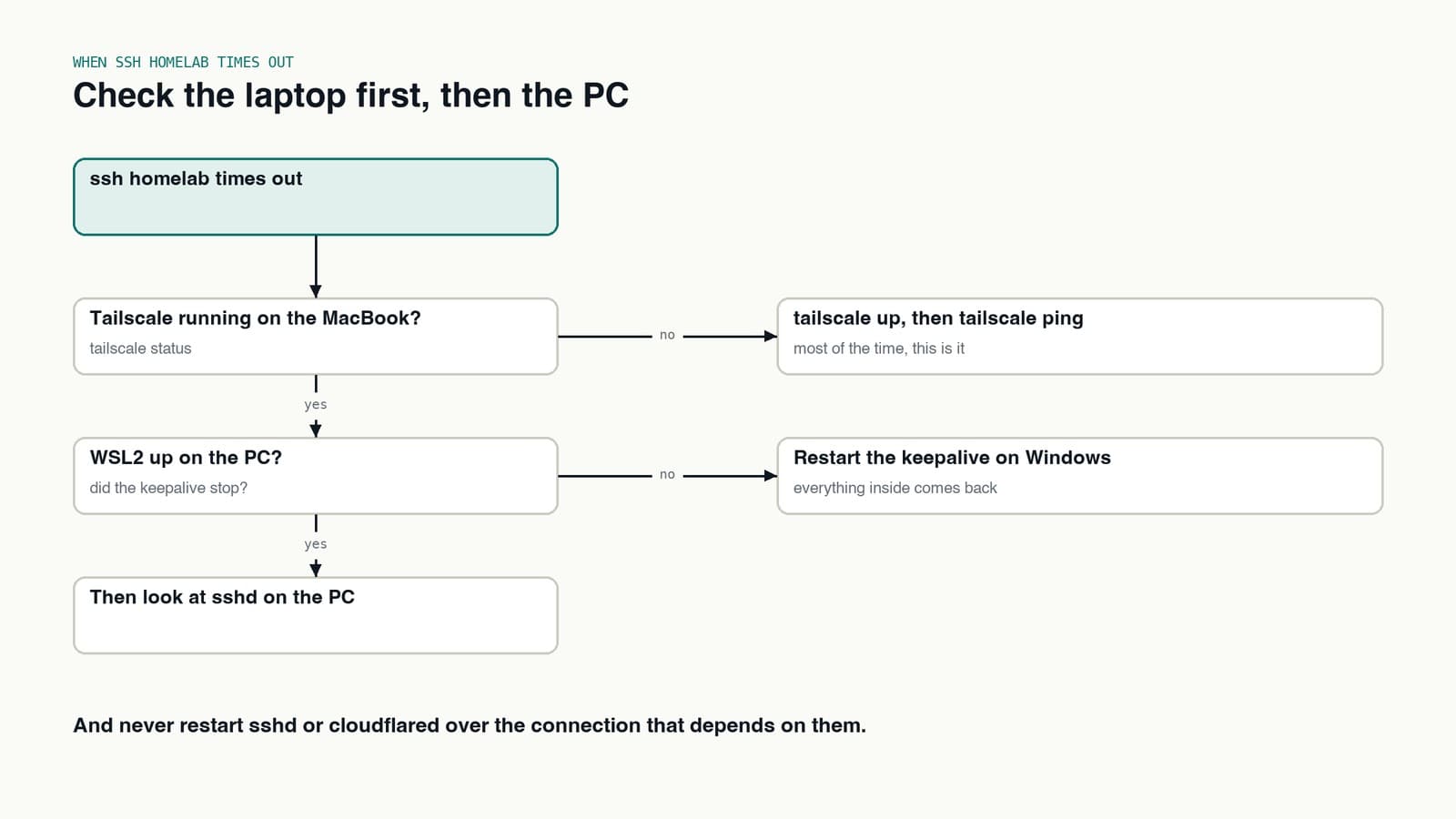
- Do not restart the tunnel you are connected through. Restarting
sshdorcloudflaredover the connection that depends on it is a good way to lock yourself out until you get home.
What I would tell someone copying this
- Open zero ports at home. Both tools work without any.
- Split private access from browser access. They have different threat models, so give them different paths.
- Put a login in front of anything public. A tunnel without Access is just a public URL to your house.
- Give the remote box a name in your ssh config. Every other tool, Herdr included, gets simpler once
homelabjust works.