- Published on
Four OpenTabs plugins for Facebook, Greenhouse, Toptal and Upwork

- Authors

- Name
- Nadim Tuhin
- @nadimtuhin
On this page
I spend most of my day pairing with an AI agent in the terminal. It writes modules, runs tests, and juggles git branches without complaint. Then I'd switch to Chrome and spend the next hour doing clerk work by hand. That felt backwards.
The browser chores looked like this:
- Facebook friend requests piling up into the dozens. I want to accept people from the dev community with real mutual connections and quietly decline the rest. Doing that by hand means opening profile after profile.
- Greenhouse job forms asking for the same things every time: GitHub, portfolio, location, phone, work authorization, plus a few custom dropdowns. I was copy-pasting from a notes file into the same boxes over and over.
- Toptal and Upwork profiles drifting out of date. After a new client project I'd mean to update my skill chips and headline, then put it off for weeks because it's six clicks deep.
Each task is slow on its own. Together, they eat the focus I'd rather spend on code.
Why I didn't reach for Puppeteer
The usual developer answer is a headless Playwright or Puppeteer script. I've written plenty of those, and I know how they end: exported cookies that expire, Cloudflare challenge pages, bot detection, and selectors that break the week after you ship.
Calling the sites' private GraphQL endpoints directly isn't any better. Auth headers rotate, and you're one schema change away from a broken script.
Chrome is open on my machine all day. I'm logged in, 2FA is done, and the browser looks like me because it is me. I wanted the agent working inside those tabs instead of a cold headless copy.
OpenTabs does exactly that over the Model Context Protocol (MCP). The agent makes a normal tool call, the OpenTabs server passes it to a Chrome extension, and the extension runs a small plugin adapter inside the matching tab. The adapter uses your existing session, so there are no API keys to manage.
OpenTabs gives you the plumbing. You still need plugins that know how each site works. So I wrote four for my own routine and open-sourced them: github.com/nadimtuhin/opentabs-plugins.
TL;DR: what each plugin does
| Plugin | Site | What I use it for | Tools |
|---|---|---|---|
fb-friends-manager | Sort pending friend requests and accept or decline in bulk | 6 | |
greenhouse | Greenhouse | Fill job application forms and attach my resume | 3 |
toptal | Toptal Talent | Draft cover letters and keep profile sections current | 9 |
upwork | Upwork | Update headline, overview, categories, and skill chips | 4 |
1. Facebook friend requests
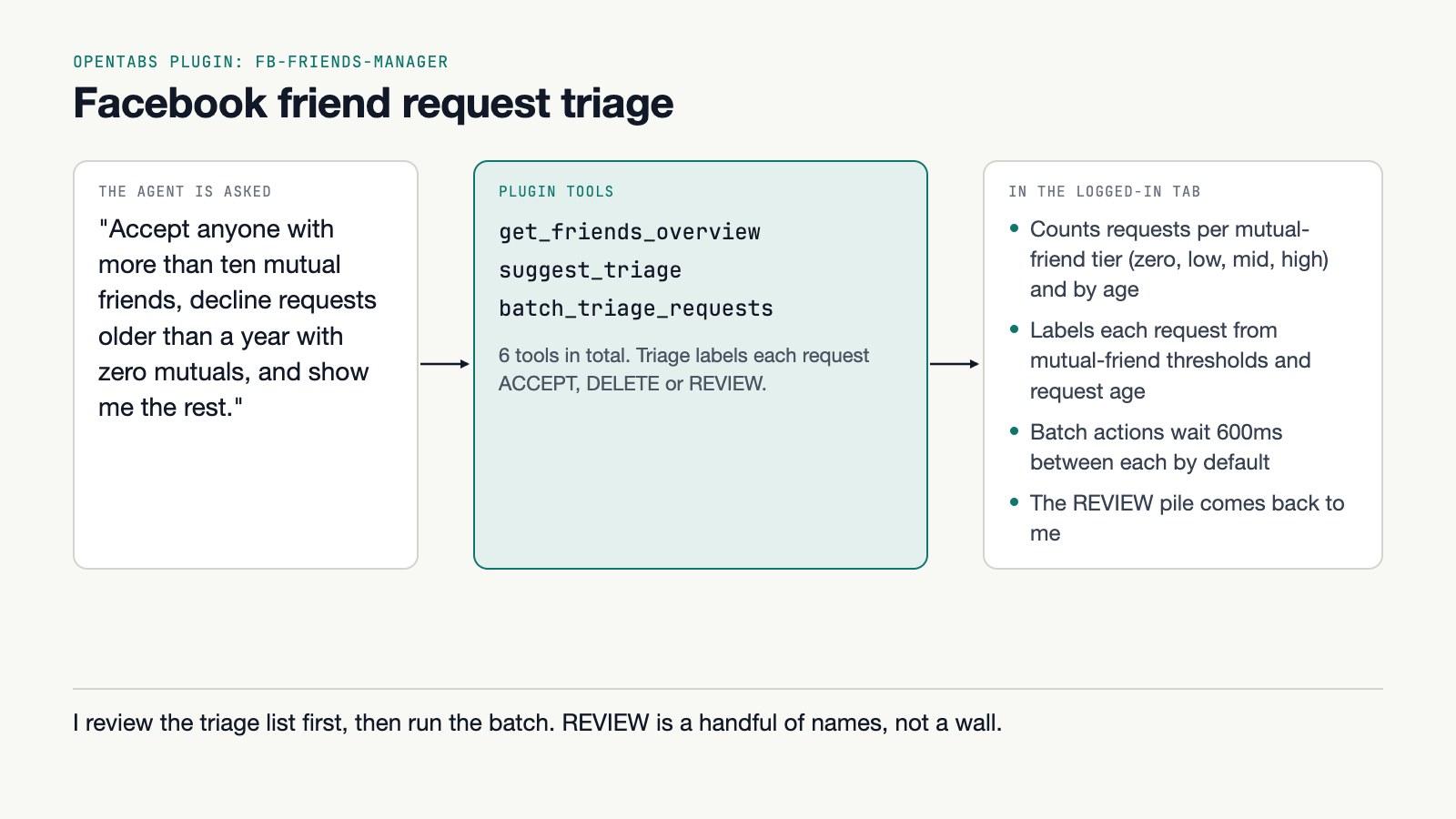
My friend request queue had turned into a backlog I was avoiding. The fb-friends-manager plugin turns it into data the agent can reason about.
get_friends_overview gives a quick picture: how many requests sit in each mutual friend tier (zero, low, mid, high) and how old they are. suggest_triage then labels every request as ACCEPT, DELETE, or REVIEW based on mutual friend thresholds and request age.
So I can type something like: "Accept anyone with more than ten mutual friends, decline requests older than a year with zero mutuals, and show me the rest." The agent runs batch_triage_requests, which waits between each action (600ms by default) so it doesn't hammer Facebook in one burst. The REVIEW pile comes back to me, which is usually a handful of names instead of a wall of them.
2. Greenhouse job applications
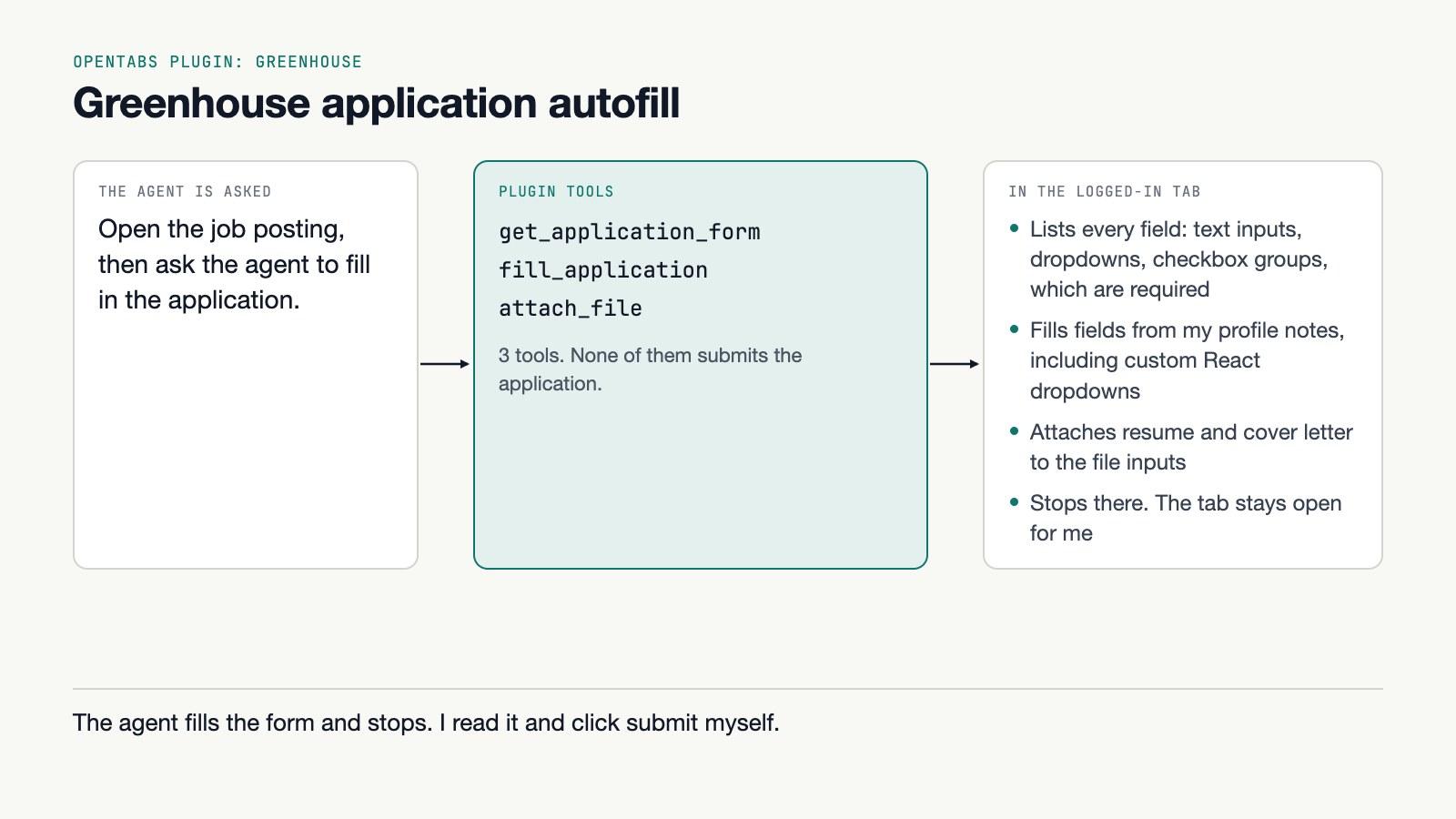
Applying to engineering roles shouldn't mean retyping the same answers every time. With the greenhouse plugin I open the posting, then ask the agent to fill it in.
The agent starts with get_application_form. It returns every field on the page: text inputs, dropdowns, checkbox groups, and which ones are required. That matters because every company adds its own custom questions.
Next, fill_application fills the fields from my profile notes. Greenhouse dropdowns are custom React components that ignore a plain value change, so the plugin sets them the way the component expects. That way the form state sticks when you save. Then attach_file drops my resume and cover letter into the file inputs.
The copy-paste session for each application is now a prompt and a quick read-through.
3. Toptal talent portal
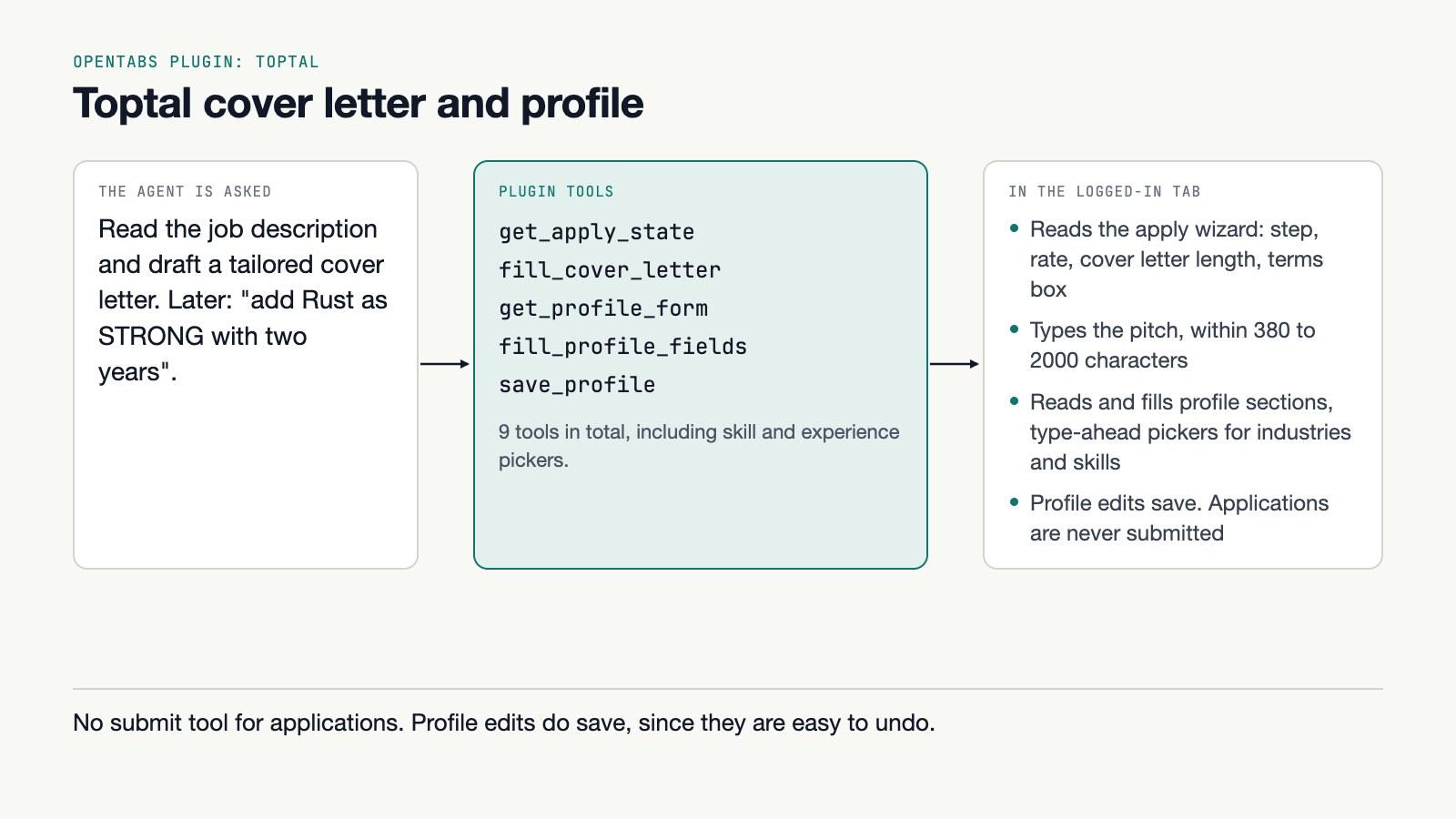
Toptal applications want a tailored cover letter for each client, and the profile has a lot of sections to keep in sync.
For applications, get_apply_state reads where I am in the apply wizard: the current step, the rate, the cover letter length, and whether the terms box is ticked. The agent reads the job description, drafts a pitch within Toptal's 380 to 2000 character range, and types it in with fill_cover_letter.
For the profile, there are tools to read and fill sections (get_profile_form, fill_profile_fields, save_profile), pick industries and skills from the type-ahead pickers, set work experience years, and add or remove skills with a proficiency level. After a project wraps, I can say "add Rust as STRONG with two years" instead of hunting through settings pages.
4. Upwork profile
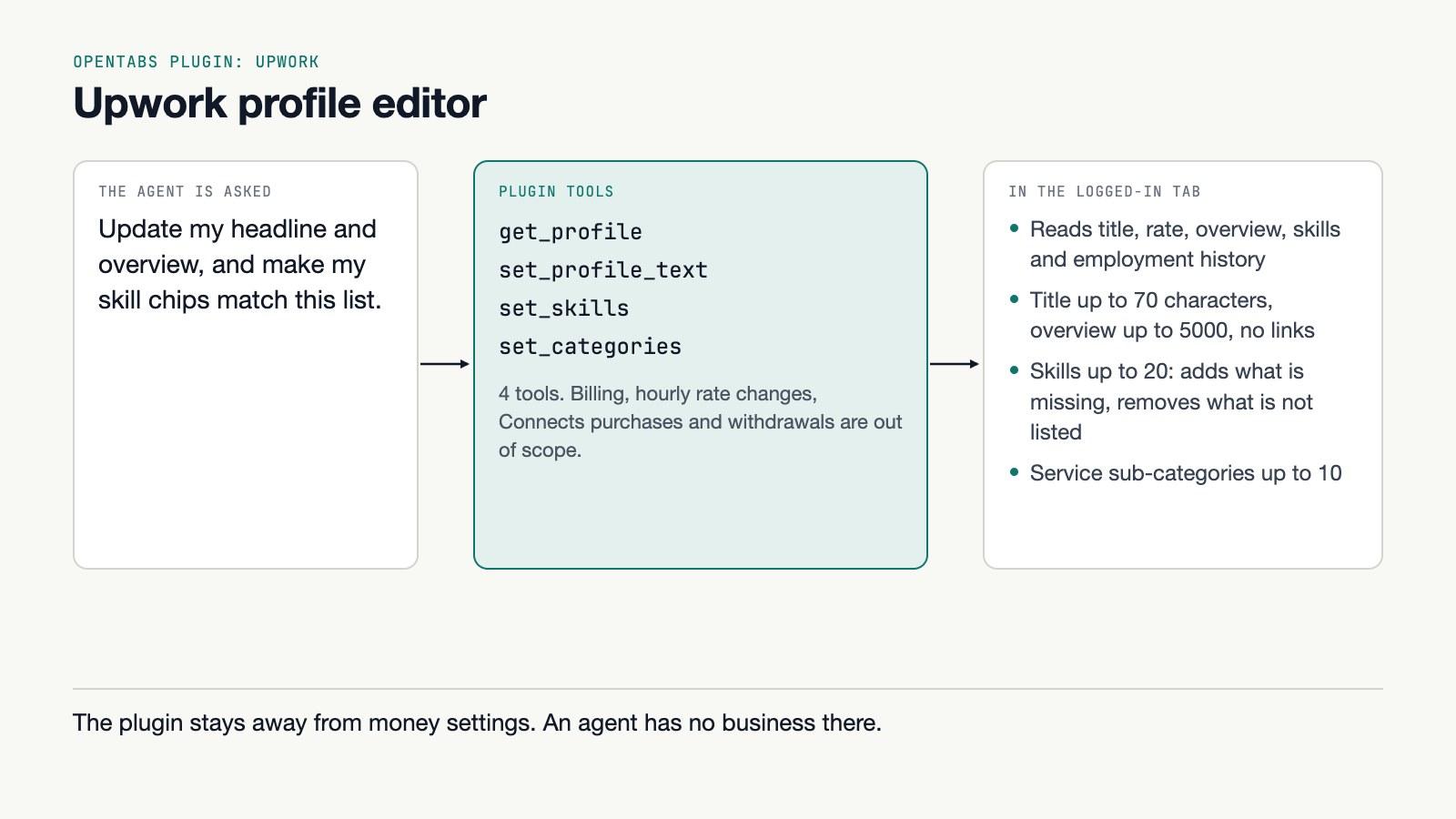
My Upwork profile was the one I neglected most, because every small edit lives on a different sub-page.
The upwork plugin has four tools:
get_profilereads the title, rate, overview, skills, and employment history.set_profile_textupdates the title (70 characters max) or overview (5000 characters max, no links).set_skillsmakes the skill chips match a list I give it, up to 20. It adds what's missing and removes what isn't listed.set_categoriessets the service sub-categories, up to 10.
The plugin deliberately stays away from billing, hourly rate changes, Connects purchases, and withdrawals. I don't want an agent anywhere near money settings.
The one rule: the agent never submits an application
Handing an agent your browser sounds risky, and it would be if it could hit submit. One bad draft could go to the wrong client or a half-filled form could land in a recruiter's inbox.
So neither the Greenhouse nor the Toptal plugin has a tool that submits an application. The agent maps the form, fills the text, picks the dropdowns, and attaches files. Then it stops. The tab stays open, I read what it wrote, and I click submit myself.

Profile tools on Toptal and Upwork do save, since those edits are easy to undo. The Facebook plugin takes real actions too, so I only run a batch after I've reviewed the triage list and picked which group to act on.
When to use this, and when not to
Good fit:
- Repetitive work on sites you already log into every day
- Sites with heavy bot detection, where a headless browser gets blocked
- Tasks where you want the agent to prepare and you want to approve
Not a good fit:
- Unattended jobs that need to run on a server at 3am. This needs your Chrome open.
- Scraping at volume. These plugins are for your own account, at human pace.
- Anything a site's terms forbid. Read them first.
Trying the plugins
You'll need Node.js 20 or newer, the OpenTabs CLI (npm install -g @opentabs-dev/cli), and the OpenTabs Chrome extension connected to your browser.
All four plugins are TypeScript, MIT licensed, in one repo:
git clone https://github.com/nadimtuhin/opentabs-plugins.git
cd opentabs-plugins
npm install
npm run build
Add the built plugins to ~/.opentabs/config.json:
{
  "localPlugins": [
    "/path/to/opentabs-plugins/plugins/fb-friends-manager",
    "/path/to/opentabs-plugins/plugins/greenhouse",
    "/path/to/opentabs-plugins/plugins/toptal",
    "/path/to/opentabs-plugins/plugins/upwork"
  ]
}
Then restart the server:
opentabs restart
Open one of the sites in Chrome, and your MCP client (Claude Code, Codex, Cursor, or similar) can call the tools against that tab.
My personal setup
Here's how I use them day to day:
- Greenhouse gets the most use. I keep my answers in a markdown file and the agent fills forms from it.
- Facebook triage runs every couple of weeks, when the request count gets annoying.
- Toptal and Upwork get a pass after each project ends, so my skills match what I've actually shipped.
Final thoughts
The best part of this setup is how boring it is. No cookie exports or reverse-engineered APIs. The agent works in the same tabs I do, and I stay the one who clicks submit.
The lesson I keep relearning: give the agent the tedious middle of a task, and keep the first look and the final click for yourself.
If there's a site you fight with every week, a plugin for it is a small TypeScript project. PRs for new plugins are welcome. What browser chore would you hand off first? Let me know in the comments.
Resources
Related posts
- LangGraph browser agents on Puppeteer: prune the DOM, then act
A LangGraph agent that drives Puppeteer over CDP: prune the DOM before the model sees it, fill forms in one batched action, and fall back when a selector breaks.
- Driving Multilogin browser profiles with Puppeteer and a LangGraph agent
Connect Puppeteer to Multilogin profiles over CDP and drive them with a LangGraph agent at about $0.02 a task on GPT-4o-mini, with fingerprint checks and clean teardown.
- Claiming free game rewards with a Hermes cron job and Playwright
A cron job runs a small Playwright script every 6 hours to claim the free offers in a game web store. 50 saved runs show what it claims and how it fails.