
- Authors

- Name
- Nadim Tuhin
- @nadimtuhin
The script said "pushed". The push had been rejected.
Here's the script. It pushed a branch and trimmed the noisy output:
git push origin my-branch | tail -3
echo "pushed"
The catch: a pipeline's exit status is the status of its last command. git push failed, tail succeeded, so the whole line counted as a success.
You can see it in one line:
false | tail -1; echo $?
# 0

set -o pipefail
false | tail -1; echo $?
# 1
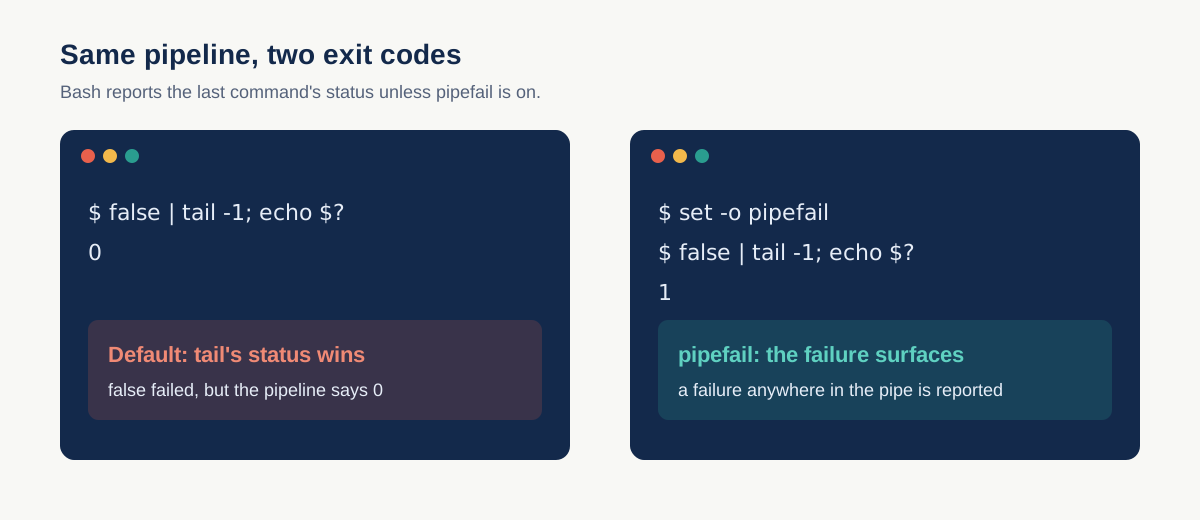
I ran both in bash. Without pipefail, the failure disappears. With it, the pipeline returns a non-zero status if any command in it failed.
Two ways to fix it
- Put
set -o pipefailat the top of the script (andset -eif you want it to stop). - Don't pipe a command whose success you need to check. Run
git pushon its own and print the tail of its log separately.
I hit this while debugging an automation that kept reporting stale state after a push that had failed. The command was never the problem. The pipe hid it.
Related posts
- TIL: GNU tar ignores --exclude patterns with a trailing slash
GNU tar skips an --exclude pattern that ends in a slash and packs the directory anyway. Drop the slash. macOS bsdtar does match it, so test where the backup runs.
- TIL: git worktrees run hooks from the main checkout
I edited a pre-push hook in a worktree and nothing changed. Git was running the installed copy from the main repo.
- TIL: 'No module named' after an update meant a stale process
My agent said httpx was missing. It was installed. The running process had started before the update and was still on the old environment.