- Published on
pagedrop-cli: a small bash script that turns an HTML file into a URL
- Authors

- Name
- Nadim Tuhin
- @nadimtuhin
On this page
Sharing a single HTML file should not need a deploy. pagedrop.io is a third-party service that takes an HTML page and gives back a link. I don't run it. I only wrote pagedrop-cli so that step happens from the terminal: pagedrop report.html and a URL comes out.
Before the fixes at the end of this post, the whole tool was one bash script of 77 lines plus a 60-line installer. This post walks through both, including the parts that broke.
Note: I did not upload anything to pagedrop.io while writing this. Every behavior below comes from reading the code and running it against a stub
curlthat returns canned responses or exit codes.
The problem
An HTML file on my disk is easy to open and awkward to send. The usual options are attaching it, zipping it, or pushing it to a static host. pagedrop.io skips all of that with an upload API, and the README says no registration or API key is needed.
What was missing was a command. Calling the API by hand means building a JSON body with the file contents escaped correctly, which is exactly the kind of thing that goes wrong in a shell one-liner.
How it works
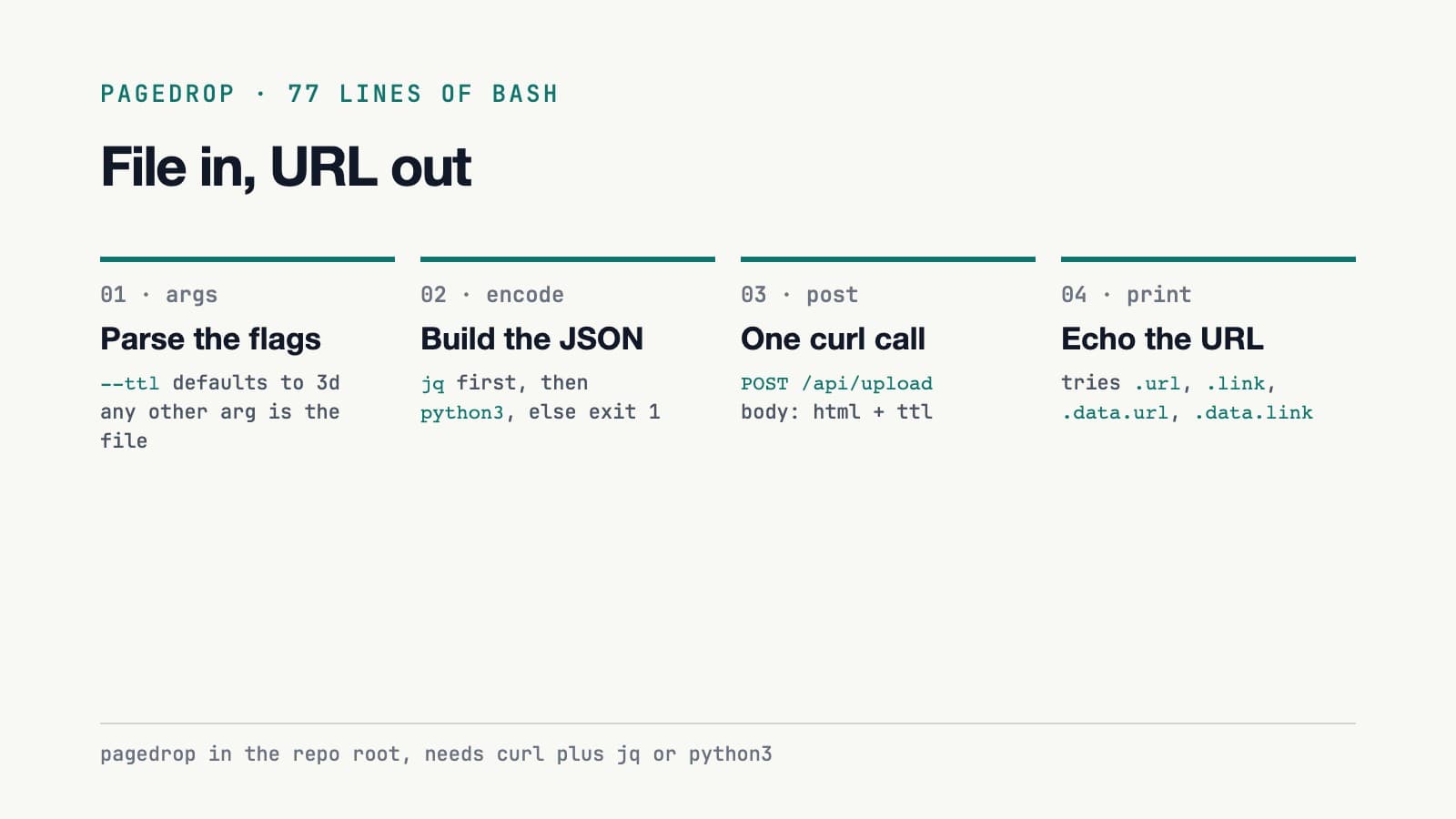
The script is a straight line, shown below. The snippets and line numbers below are from the script before the fix PR at the end of this post.
Argument parsing
pagedrop is a while loop over case "$1". --ttl takes a duration and defaults to 3d. Any other argument becomes the file path:
# pagedrop:7-27
while [[ $# -gt 0 ]]; do
  case "$1" in
    --ttl) TTL="$2"; shift 2 ;;
    --help|-h)
      # ...
      ;;
    *) FILE="$1"; shift ;;
  esac
done
Because the file is just "whatever is not a flag", pagedrop --ttl 1h file.html and pagedrop file.html --ttl 1h both work. The README shows both orders.
Encoding the JSON
The script never builds JSON with string concatenation. It uses jq if it exists, then python3, and exits with an error if neither does:
# pagedrop:41-42
if command -v jq &>/dev/null; then
  PAYLOAD=$(jq -n --arg html "$(cat "$FILE")" --arg ttl "$TTL" '{html: $html, ttl: $ttl}')
  # ...
A file containing double quotes and a backslash reaches the stub curl as a correctly escaped html field. That is the one piece of the script I would not want to write by hand with sed.
Posting and reading the answer
The request is a single curl -s -X POST https://pagedrop.io/api/upload. The response parser does not assume one shape. It tries four paths with jq:
# pagedrop:60
URL=$(echo "$RESPONSE" | jq -r '.url // .link // .data.url // .data.link // empty')
Four candidate paths give it some slack if the API renames a field, but only to one of those four.
The June fix
The original call was curl -sf, under set -e. With -f, curl exits 22 on an HTTP error, and set -e ends the script right there. A rejected upload printed nothing at all. Commit 8864719 ("surface API error messages instead of silent empty URL") dropped -f and added an ERR lookup:
# pagedrop:61
ERR=$(echo "$RESPONSE" | jq -r '.error.message // .error // .message // empty' 2>/dev/null)
With the stub returning {"error":{"message":"too large"}}, the script now prints Error: too large and exits 1. That is a real improvement over silence.
The installer
install is the curl | bash one-liner from the README. It downloads pagedrop into ~/.local/bin, marks it executable, and appends an export PATH line to ~/.zshrc or ~/.bashrc if the directory is not already on PATH. A commit from 2026-06-06 also removed a "brew tap" install instruction from the README as a "fake" instruction, per its commit message.
The results
Small numbers, but they are real. Figures from before the fix PR:
| Fact | Value |
|---|---|
| Script size | 77 lines (pagedrop), 60 lines (install) |
| Commits | 12, from 2026-04-15 to 2026-06-28 |
| License | MIT |
| GitHub stars | 0 at the time of writing |
| Published on npm | No, npm view pagedrop-cli returns a 404 |
| Automated tests | None when I wrote this |
| CI | bash -n syntax check on both files |
So the claim on my portfolio holds: it uploads an HTML file to pagedrop.io from the terminal and prints a URL. I verified that by reading the code and running it with a fake curl. The live service I did not touch.
What I fixed after writing this
Feeding the script canned responses and exit codes from a stub curl showed four flaws. On 2026-10-14 I merged one PR that fixed them and the smaller edges below.
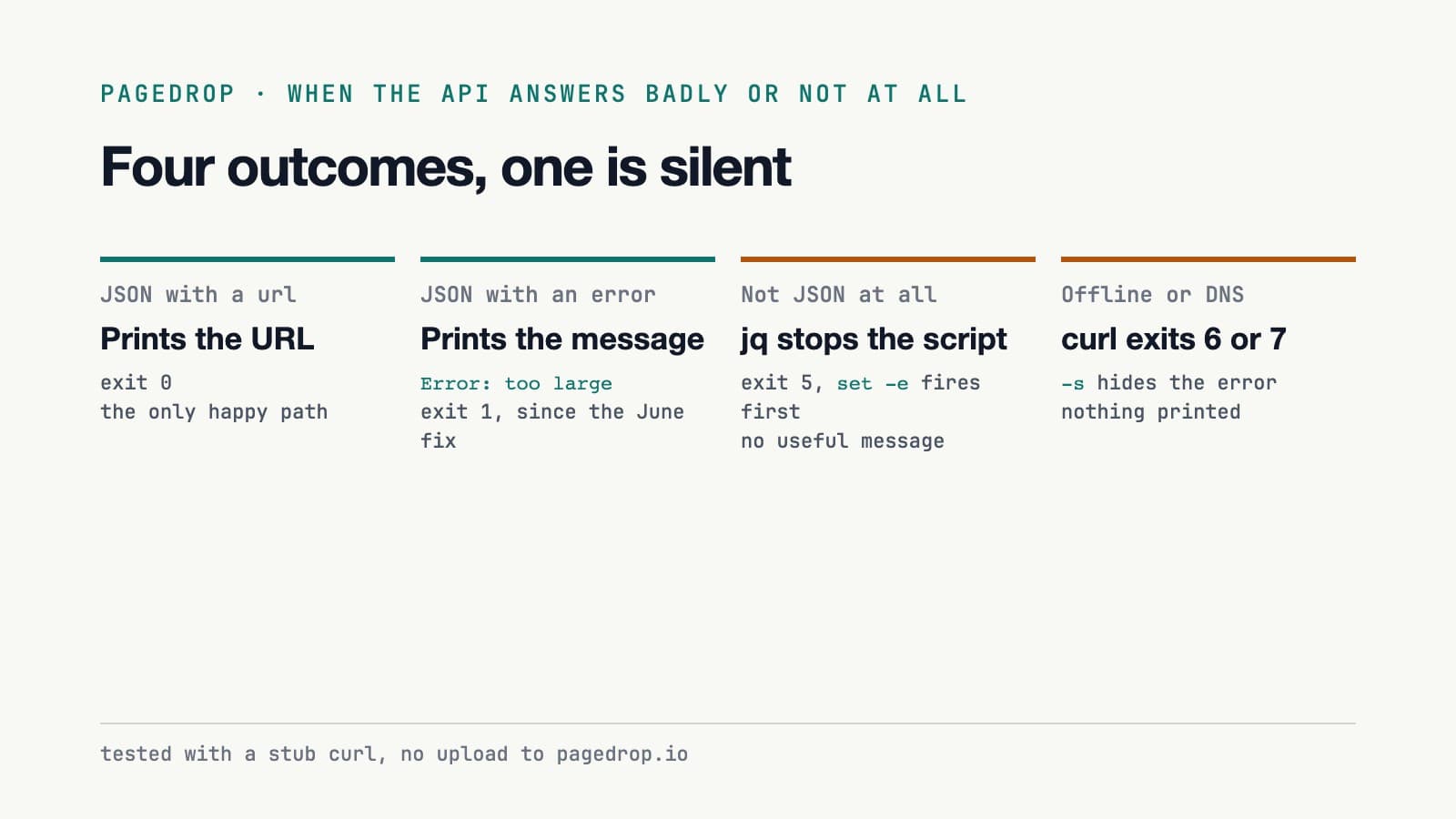
Network errors exited silently. Offline or a DNS failure makes curl exit 6 or 7.
-shid curl's message, andset -estopped the script at thecurlcall. A stub that exits 6 gave no output and exit code 6. The script now reports an offline error.A non-JSON response ended the script early. If the API returned an HTML error page or plain text,
jqfailed to parse it and exited non-zero, andset -estopped the script before the "could not extract URL" branch. A non-JSON response is now handled.The no-jq fallback was brittle. It used
grep -o '"url":"[^"]*"', which only matched JSON with no space after the colon. The grep spacing is fixed.The installer could write to the wrong file on a Mac. Under
curl | bash,ZSH_VERSIONis empty, so it picked~/.bashrcand the PATH line landed where zsh never looks. The installer now uses$SHELL.
Smaller edges, also fixed: the installer's wget branch passed both -qO- and -O, and the wget flag is corrected. Large files were a likely limit I had not tested: the script passed the whole file as a single argument, and Linux caps one argument at 128 KiB (MAX_ARG_STRLEN). Large files now go through stdin.
The same PR added tests that run the script against a stub curl in CI. The lesson for any small script that wraps an API: test the bad responses before the good one.
One edge is still open: there is no HTTP status check.
Resources
Try it on an HTML file, or open an issue on the repo if a failure path bites you.
Related posts
- pmharden: auditing npm, pnpm and yarn config for secrets
pmharden audits package manager config, scans for plaintext tokens and flags risky global packages in one command. A walkthrough of the code, the 45 tests and the rough edges I still see.
- opencode-9router: model discovery for OpenCode from a 9Router gateway
An OpenCode plugin that asks a 9Router gateway for its models at startup, fills in limits and capabilities, and caches the list. v1.0.0, 26 tests after a six-fix PR.
- express-simple-proxy: an Express proxy with hooks and typed errors
express-simple-proxy forwards Express routes to an upstream API with error codes, a beforeRequest hook and an onResponse callback. 183 tests, two runtime dependencies, and rough edges I found.