- Published on
pmharden: auditing npm, pnpm and yarn config for secrets
- Authors

- Name
- Nadim Tuhin
- @nadimtuhin
On this page
I found a plaintext npm token in my own ~/.npmrc. That is why I built pmharden.
Every package you npm install can run a postinstall script as you, and your ~/.npmrc usually holds a publish token. npm audit checks installed packages for known CVEs. It does not look at your config files.
pmharden is a TypeScript CLI that checks those files. This post covers how it is built, what the tests prove, and what I would change.
The problem: nothing reads the config
The README compares pmharden with other tools:
| Tool | Checks | Misses |
|---|---|---|
npm audit | CVEs in installed packages | Config, secrets, global installs |
| Socket.dev | Per-package behavior | ~/.npmrc tokens |
| pmharden | Config, secrets, globals | Per-package CVE data |
The README names real incidents as motivation, from eslint-scope in 2018 to the @mastra/core compromise in June 2026. The common thread is a postinstall script that runs with your credentials in reach.
pmharden does not try to replace the CVE tools. The README says to run it alongside npm audit.
How it works
npx pmharden            # all checks
npx pmharden audit      # config linter
npx pmharden secrets    # token scanner
npx pmharden global     # global package audit
npx pulls 0.1.5, which runs three checks. The code below is main, where all also runs a publish check.
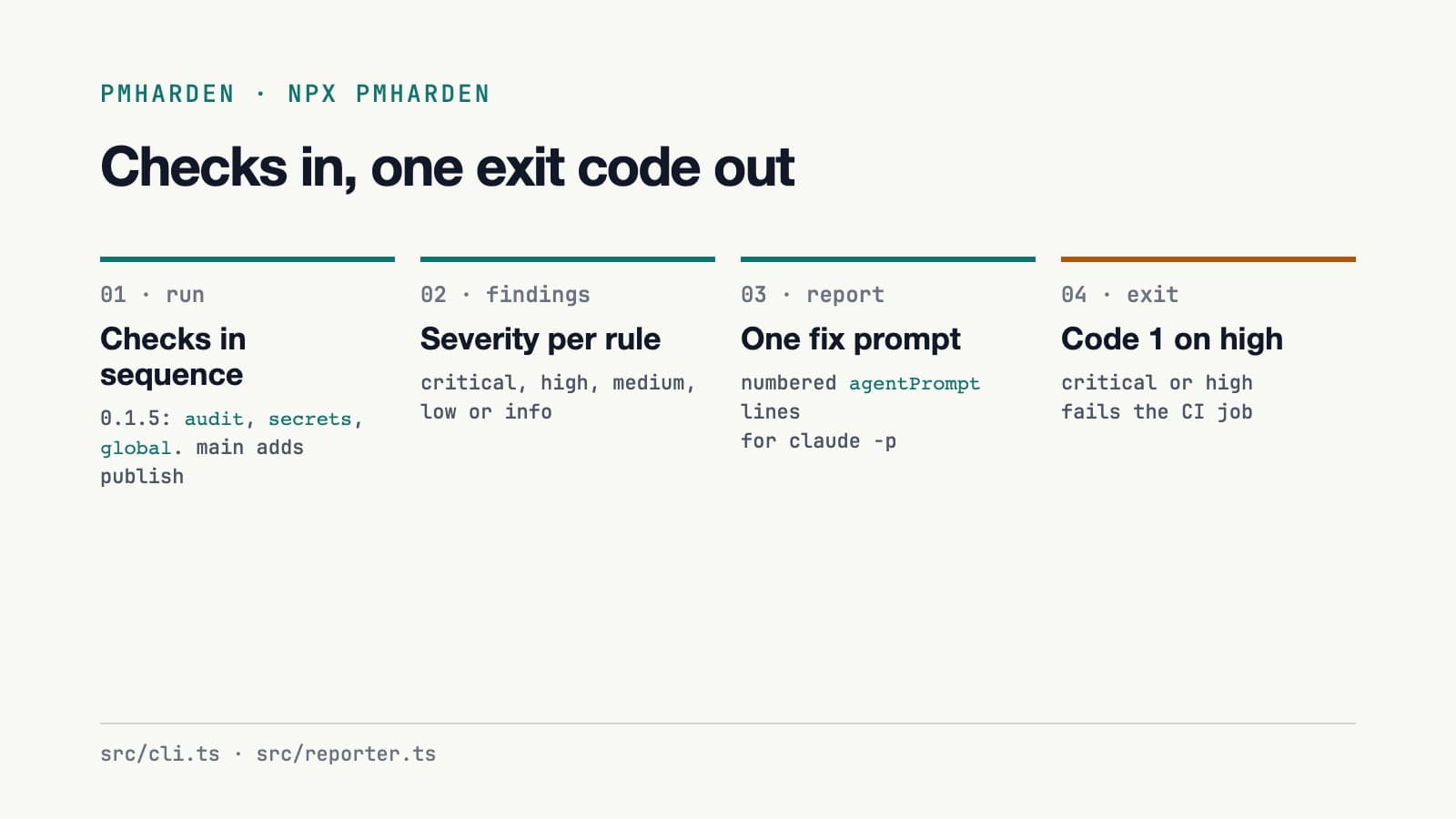
Each check is a plain function that returns { findings, skipped? }. A finding carries a severity, a rule id, a fix and a ready-made prompt (src/utils/types.ts):
export interface Finding {
  severity: Severity;
  tool: string;
  file?: string;
  rule: string;
  message: string;
  fix?: string;
  /** One-liner prompt to paste into `claude -p` or `opencode run` */
  agentPrompt?: string;
}
The agentPrompt field is how the summary ends. src/reporter.ts numbers the prompts into one command you can paste into claude -p or opencode run. pmharden does not edit your files itself.
The secrets scanner
src/checks/secrets.ts holds a list of regexes and reads .npmrc, .pnpmrc, .yarnrc and .yarnrc.yml in both your home directory and the current directory:
const SECRET_PATTERNS: Array<{ name: string; regex: RegExp }> = [
  { name: "npm-token", regex: /\/\/.+?:_authToken=(npm_[A-Za-z0-9_]{10,})/g },
  { name: "npm-token-generic", regex: /\/\/.+?:_authToken=(?!\$\{)[^$\s]{10,}/g },
  { name: "npm-password", regex: /_password=(?!\$\{)[^$\s]{6,}/g },
  // ...
];
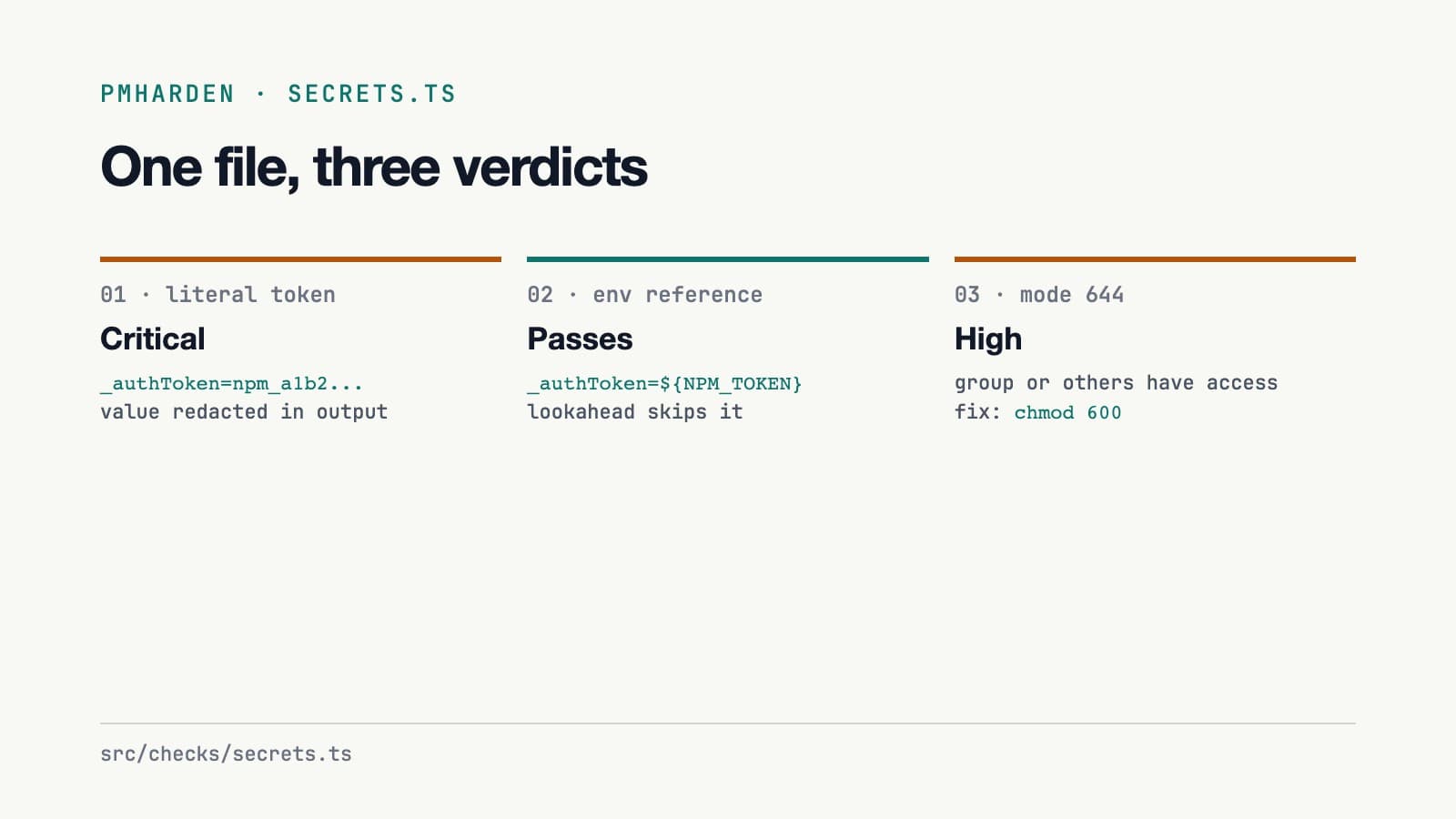
The negative lookahead (?!\$\{) is what lets ${NPM_TOKEN} pass. A token written as an env var reference is the fix pmharden recommends, so it must not trigger the rule that suggests it.
Matches are redacted before printing: match[0].replace(/=.+/, "=***REDACTED***"). A test asserts the real token never appears in the message.
The same file also checks file mode ((mode & 0o077) !== 0 means group or others have any permission on it). For project-level files it checks whether git tracks a file that contains a secret, using git ls-files --error-unmatch through execFileSync, with arguments passed as an array rather than a shell string.
The config linter
src/checks/config-audit.ts parses .npmrc into a key-value map and checks it. A missing ignore-scripts=true is critical. allow-git=all is high. An unset allow-git is medium. For pnpm it reads pnpm-workspace.yaml, and only when it finds evidence that pnpm is in use. The commit a45bbda added that gate because the pnpm rules were flagging every npm-only project.
yarn v1 gets a finding of its own, because it has no config-level way to block scripts. The README links the upstream issue, yarnpkg/yarn#5335.
The global audit
src/checks/global-audit.ts lists global packages through npm list -g, pnpm list -g and yarn global list, then deduplicates by name. It flags four hard-coded names (create-react-app, node-gyp, yo, lerna), packages two or more major versions behind, and packages with install scripts.
The results
Numbers from the repo and the registry:
- Tests: before PR #19,
bun testreported 45 passing across 5 files. - History: before PR #19, 52 commits between 2026-06-21 and 2026-09-01. 12 of them come from Dependabot.
- npm: 6 versions, 0.1.0 to 0.1.5, all published on 2026-06-21. Two runtime dependencies:
chalkandcommander. - Adoption: 47 downloads in the 30 days to 2026-10-12. GitHub shows 0 stars and 0 forks.
The test seam is worth copying. CheckContext (home, cwd, exec) lets every check run against a temp directory or a fake exec, so no test touches the real ~/.npmrc. The commit 0143f49 added a canary that runs the secrets check twice on the same fixture. It guards against a classic bug: a global regex with the g flag keeps lastIndex between .test() calls.
What I fixed after writing this, and the lessons
Lesson from the test seam: pass the environment in, instead of reading HOME and process.cwd() inside the check. Lesson from the pnpm commit: only run a rule when there is evidence it applies.
On 2026-10-14 I merged one PR that fixed four rough edges:
- Duplicate findings. One
npm_...token line matchednpm-token,npm-token-genericandgeneric-secret, so it produced three critical findings. It is now one finding per secret. - Docs disagreed with code. The README table rated a missing
ignore-scriptsas HIGH, whileconfig-audit.tsemitscritical. The README severity is fixed. - Changelog date.
CHANGELOG.mddated 0.1.5 as 2025-01-01, while the registry says 2026-06-21. The date is fixed. - The global audit was slow by design. It ran
npm viewfor every package, one after another. It now runs them concurrently.
Still open: the published package has three checks. The registry tarball for 0.1.5 has no publish check, while main runs four. The --json flag and the publish check sit under "Unreleased" in the changelog.
The generic-secret pattern also flags any token= or password= line as critical, which will catch settings that are not credentials.
Try npx pmharden on your own machine and open an issue if a rule flags something it should not.
Resources
Related posts
- opencode-9router: model discovery for OpenCode from a 9Router gateway
An OpenCode plugin that asks a 9Router gateway for its models at startup, fills in limits and capabilities, and caches the list. v1.0.0, 26 tests after a six-fix PR.
- express-simple-proxy: an Express proxy with hooks and typed errors
express-simple-proxy forwards Express routes to an upstream API with error codes, a beforeRequest hook and an onResponse callback. 183 tests, two runtime dependencies, and rough edges I found.
- devutils: 33 browser-only dev tools and what the README overstated
devutils runs JSON, JWT, SQL and Base64 tools in the browser with no network calls. I checked the README against the code: the privacy claim holds, the 35+ tool count did not.